Life Sciences Design System, A Shared Foundation for Complex Medical Research
Services
Design systems · Enterprise SaaS
Role
Senior Product Designer
Timeline
Solo designer · 3 months
Platform
Web SaaS · Zeroheight
A component library and token system for a regulated life-sciences platform, built so multiple product teams could ship consistent, accessible interfaces without redesigning the basics each time.
A shared foundation for finding evidence, comparing documents, and reviewing changes with clinical accuracy.
FOUNDATIONS / COMPONENTS / WORKFLOWSAdobe XD + Zeroheight · Original work
THE CONTEXT
Complex content. Everyday interactions.
The platform supports work with medical knowledge: finding records, comparing content and reviewing changes. Long passages and dense lists make consistency more important, not less.
I was the sole designer on the three-month project. My scope covered the design language, component library, custom iconography, accessibility and documentation.
FindCompareReviewTrack
THE CHALLENGE
The same action. Too many variations.
The challenge was inconsistency across typography, spacing, icons and component behavior. Dense layouts made those differences harder to navigate.
The system needed clear rules for recurring decisions. These questions summarize the project concerns, rather than findings from a new audit.
01
Foundations
Does the hierarchy stay consistent from one view to the next?
02
Components
Do equivalent actions have the same behavior and feedback?
03
Density
Can people distinguish the content, its status and the next action?
04
Access
Can people understand and use the controls with different input methods?
THE DESIGN QUESTION
How do you bring consistency to a research tool without losing the detail people need?
A shared system needs to make recurring interactions predictable while preserving the source, context and detail that medical research depends on.
THE FOUNDATIONS
Start with the small decisions.
Consistent color, typography, icons and spacing give components a shared starting point. Clear roles make those choices easier to reuse.
The palette and type scale below follow my original project references. The modern examples and proposed token structure belong to the 2026 reconstruction.
01 / FOUNDATIONS
Color
Neutral surfaces keep attention on the content. Blue (#09609F) and green (#1D8755) give this case study its visual identity.
In the original palette, green supports primary actions and blue supports navigation. Separate colors communicate errors, warnings, success and information.
Key colors
Brand blue#09609F
Primary green#1D8755
Primary text#151515
Secondary text#4A4A4A
White#FFFFFF
Subtle surface#F2F5F8
02 / FOUNDATIONS
Typography
The original type scale defines a role for headings, subtitles, body copy and supporting text. Regular weights carry the reading experience; semibold weights distinguish labels and subtitles.
These specimens retain the supplied sizes, weights and line heights. The reference does not identify the original font family. This portfolio uses Manrope for body text and Flecha, with Georgia as a fallback, for titles.
Headings
StyleSpecimenSize / Weight / Line
H1
Medical guideline management
32 px · Regular43 px line height
H2
Compare document versions
24 px · Regular34 px line height
H3
Review the selected change
20 px · Regular28 px line height
H4
Document details
18 px · Regular24 px line height
Subtitles & body
StyleSpecimenSize / Weight / Line
Subtitle 1
Content comparison
18 px · Semibold22 px line height
Subtitle 2
Reviewer annotation
16 px · Semibold20 px line height
Body 1
Keep the source, date and review status visible beside the content.
16 px · Regular20 px line height
Body 2 / 24
Each document retains its context while the reviewer moves between changes.
14 px · Regular24 px line height
Body 2 / 28
Each document retains its context while the reviewer moves between changes.
14 px · Regular28 px line height
Body 3 / Passages
A longer passage needs room to breathe. The reading view keeps related information together and gives each line enough space to follow comfortably.
16 px · Regular32 px line height
Labels & supporting text
StyleSpecimenSize / Weight / Line
Small
REVIEW STATUS
12 px · Semibold14 px line height
Medium
DOCUMENT DETAILS
14 px · Semibold20 px line height
Caption
Supporting information appears beside the content it describes.
12 px · Regular20 px line height
Overline
REVIEW
12 px · Regular20 px line height
02 / Sizes, weights and line heights transcribed from the supplied typography image. Both Body 2 treatments are retained, with 24 px and 28 px line heights.
03 / FOUNDATIONS
Iconography
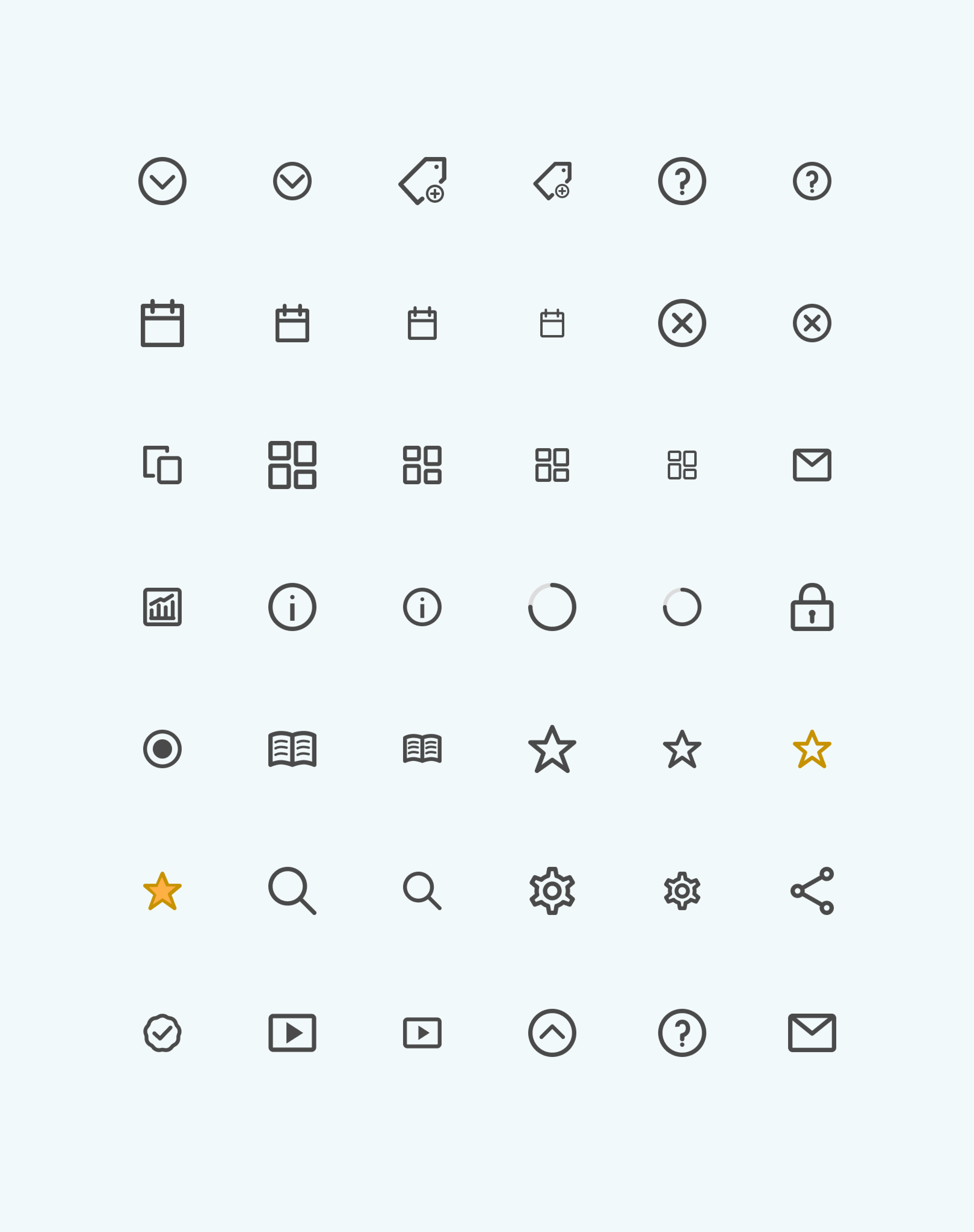
I designed custom icons as part of the original system, with guidance for consistent sizing and use.
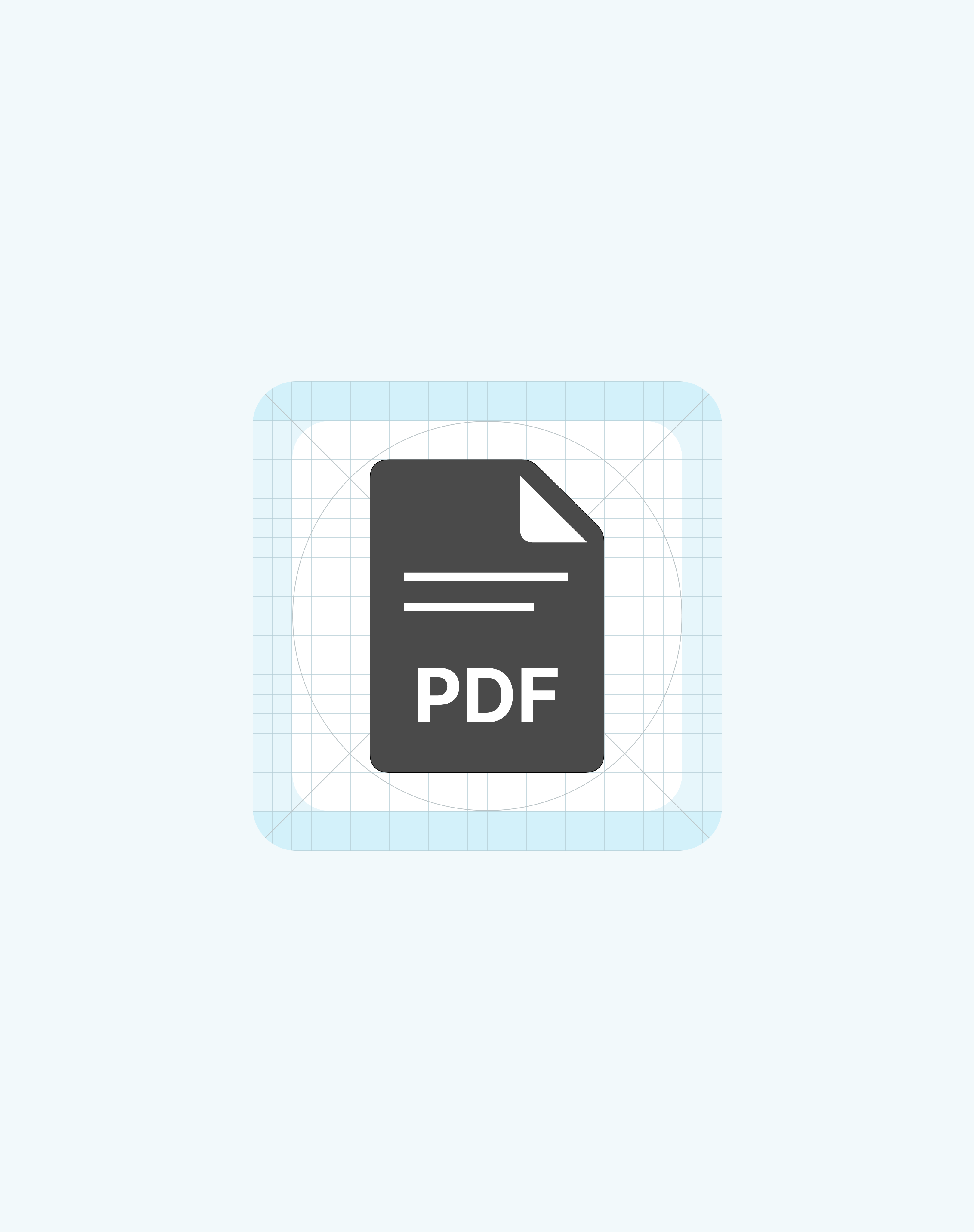
A shared grid and consistent strokes help icons work as a family. Familiar actions should use recognizable symbols; less familiar actions need text labels.
Icon family and size variationsIcon construction grid
Density is not simply about fitting more into a screen. Related content needs to stay together, while different tasks need enough separation.
Consistent spacing makes those relationships clear: tighter gaps group related information, while larger gaps separate tasks.
8
12
16
20
24
32
40
48
56
64
72
80
88
96
104
112
120
Spacing scale · Values shown at half size. 8–64 px follows the supplied reference; 72–120 px extends it in 8 px steps.
FINAL DESIGNS
The system in practice.
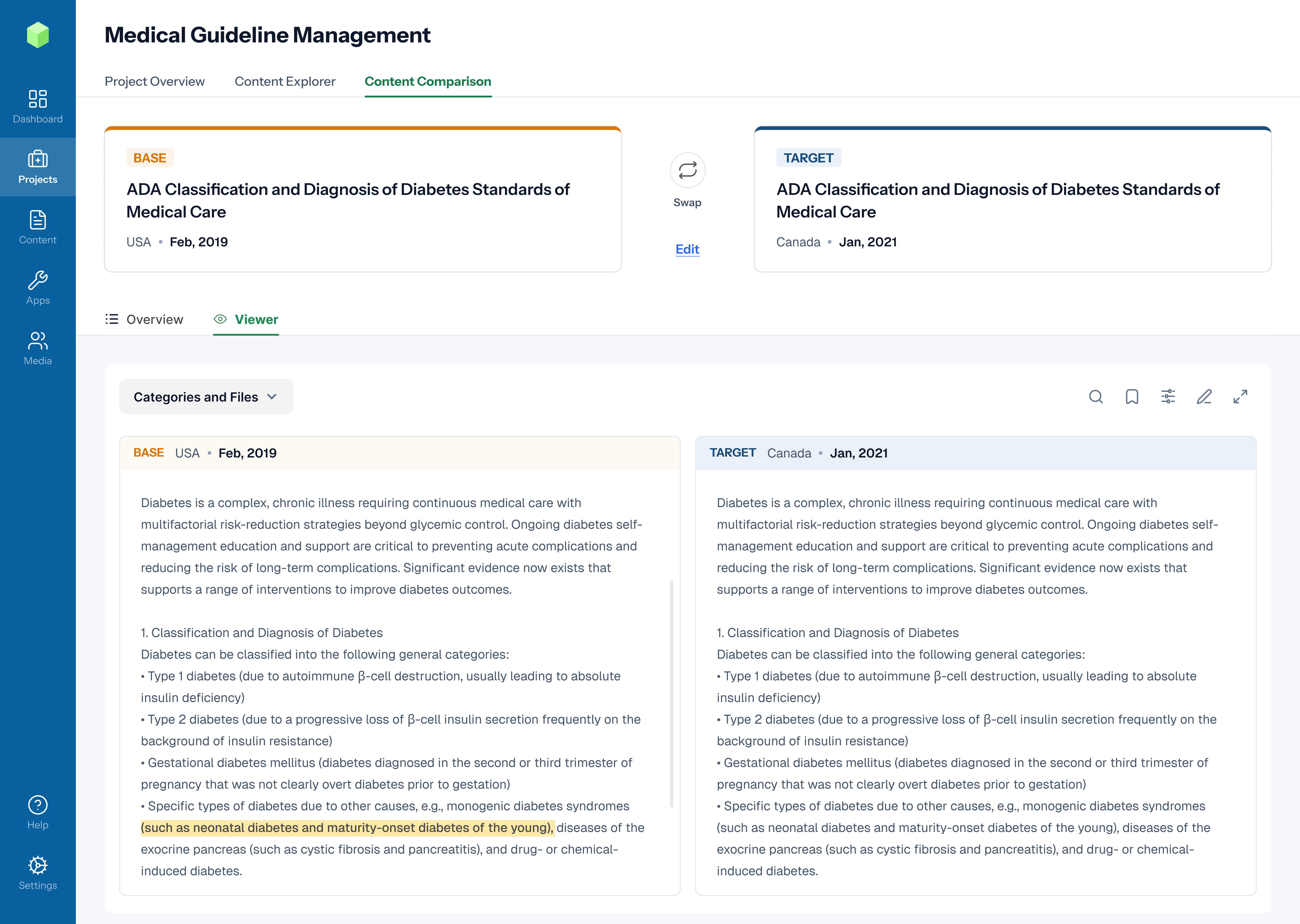
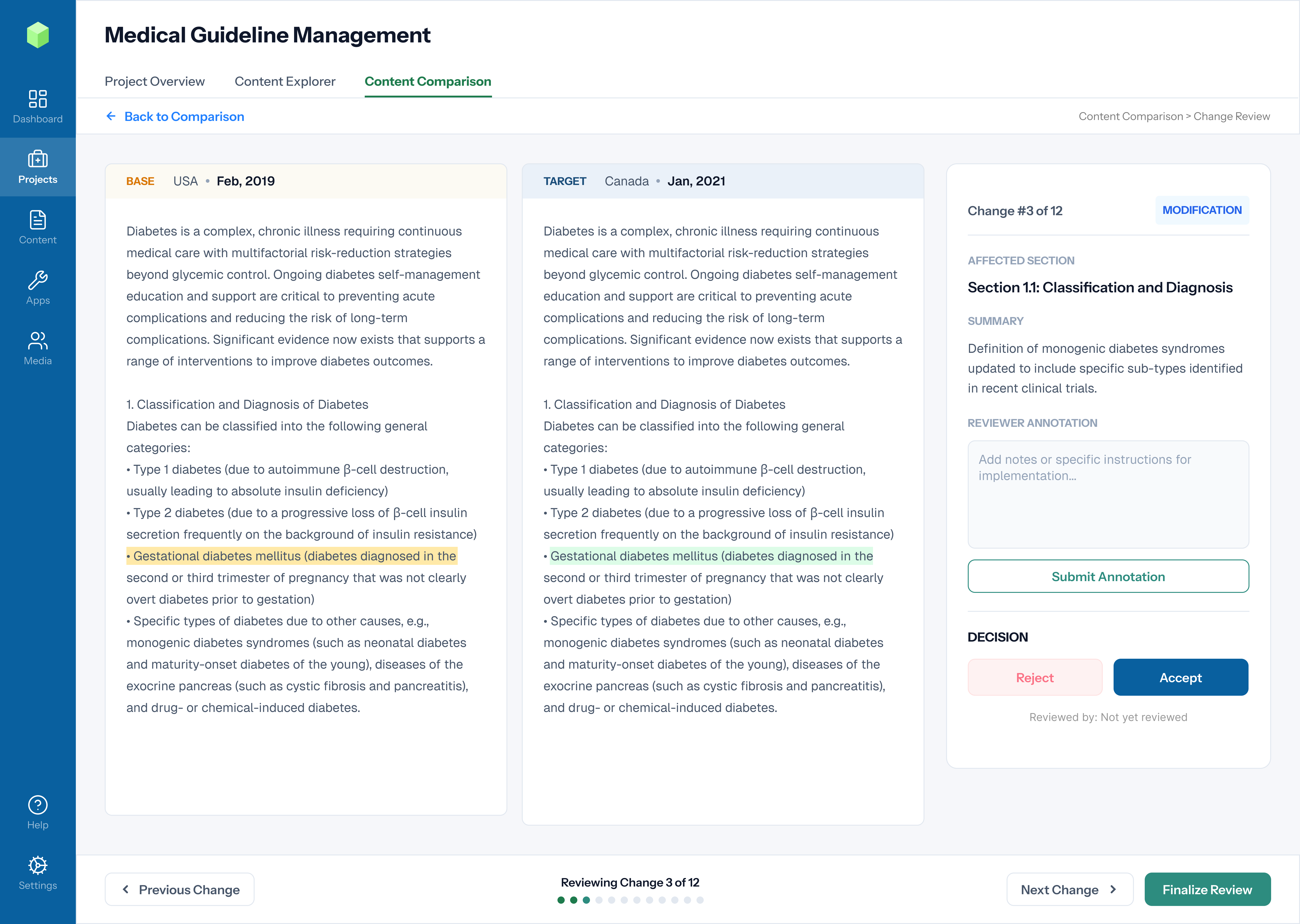
The final designs bring the foundations, components and icons together in medical guideline workflows. Clear hierarchy keeps document details, research content and review actions organized.
These screens show how the system supports reading source material, identifying changes and recording review decisions within a consistent interface.
Content comparison · Original project screenChange review · Original project screen
REUSABLE INTERACTIONS
The details people use.
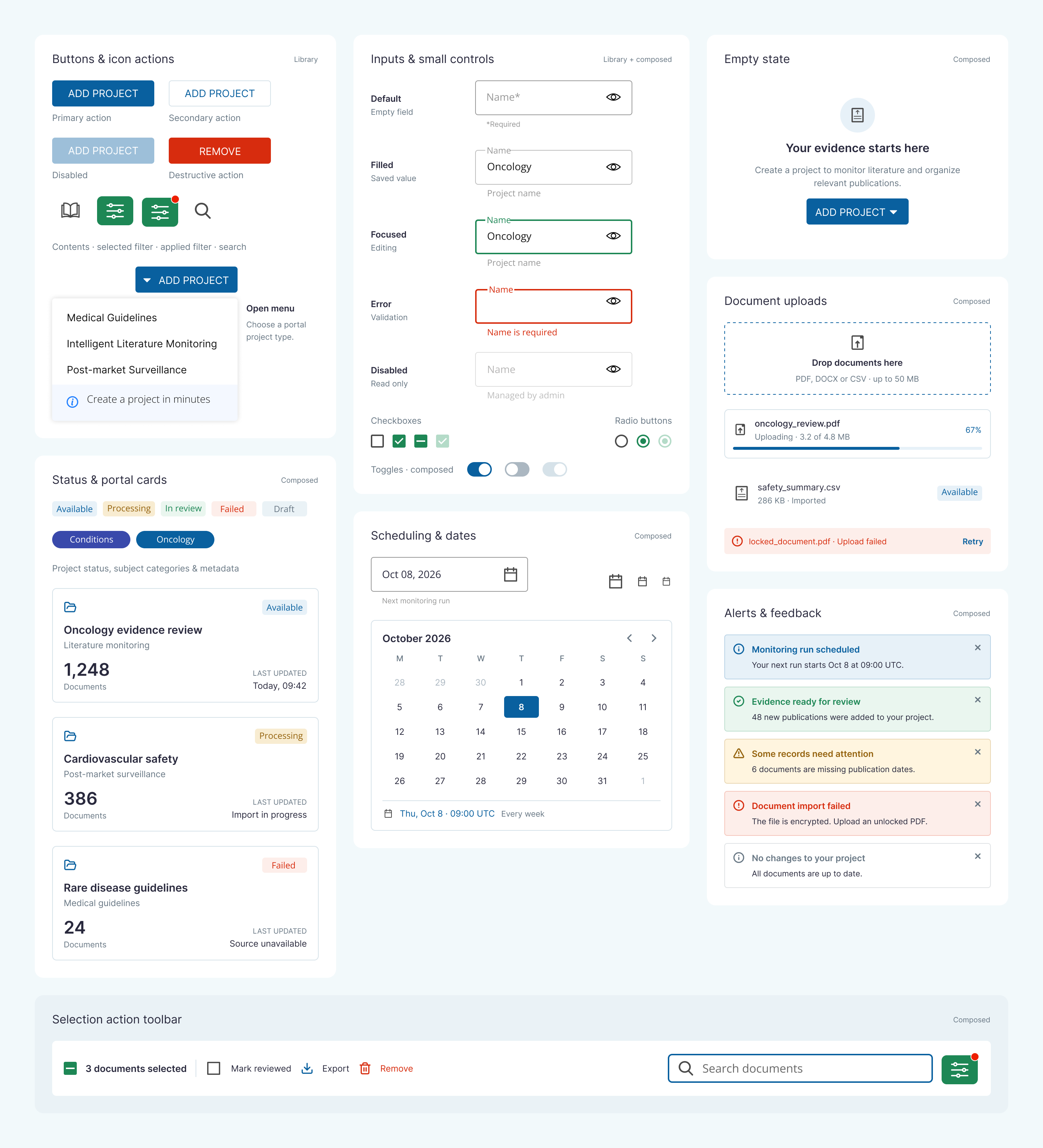
Buttons, fields and supporting patterns. Each needs clear states, feedback and guidance.
Component overview · Original reference and composed examples.
THE DETAILS / 2026 RECONSTRUCTION
Small rules. Clearer interactions.
A compact control needs room to press. A reusable value needs a name that explains its purpose.
These reconstruction studies show how target size and token naming support consistent interfaces.
01 / TARGET SIZE
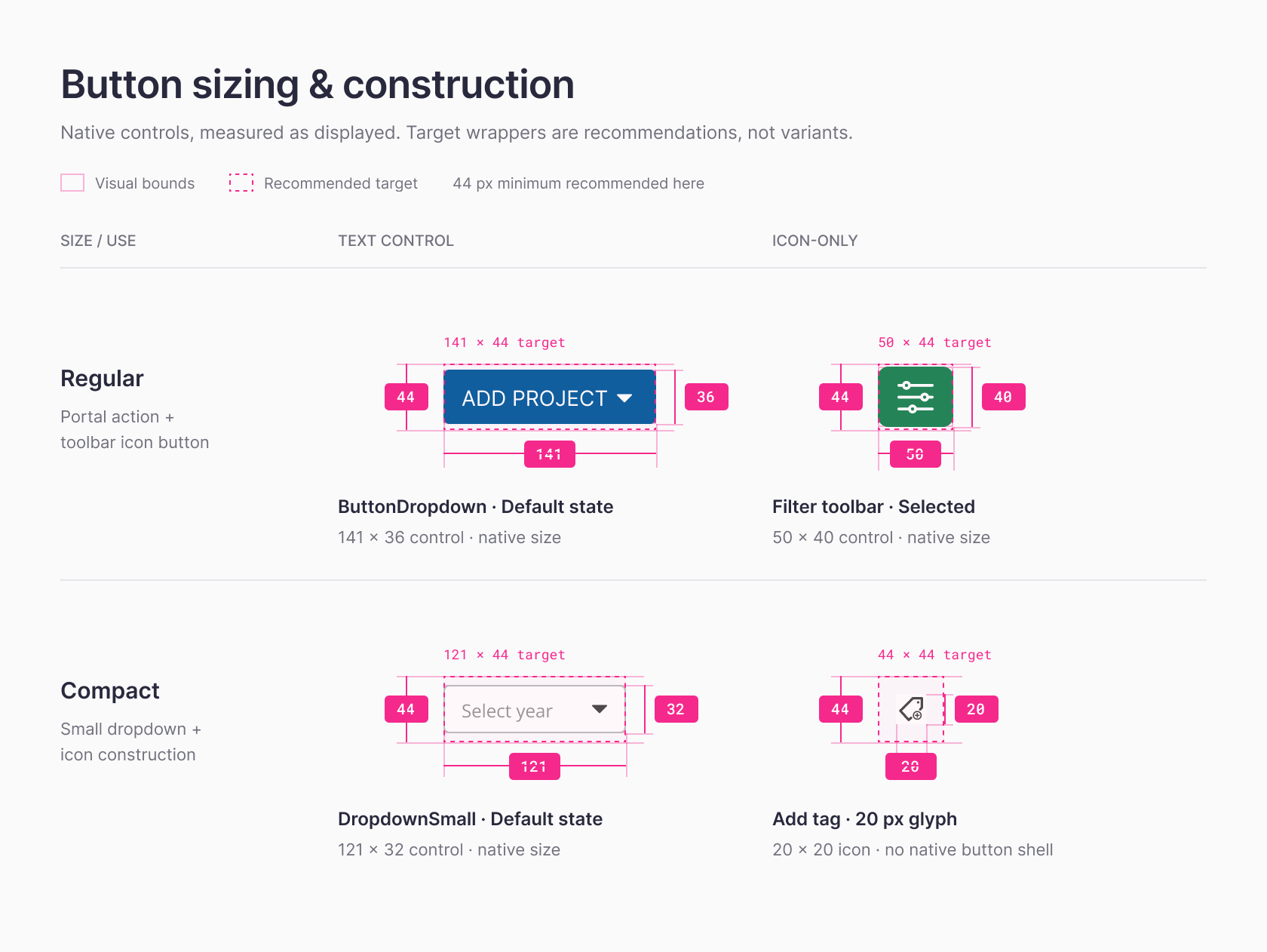
Compact in appearance. Generous to press.
A proposed 44 × 44 px minimum hit area keeps the smaller control easy to target.
Supplied sizing illustration. Dashed outlines show recommended targets; solid outlines show visual bounds. Target recommendations do not establish historical accessibility compliance.
02 / TOKEN MAPPING
Give each value a job.
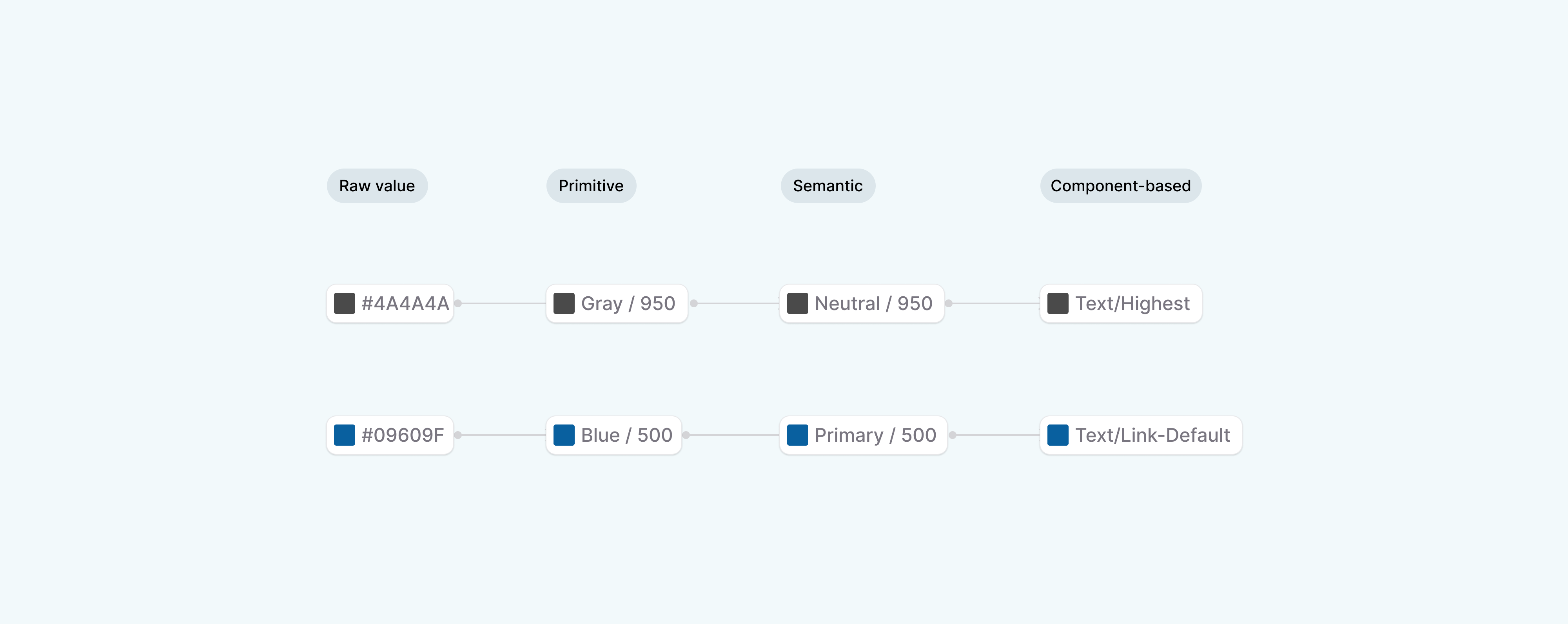
Trace a raw color through a primitive, a semantic role and a component alias.
Proposed Figma variable aliases for the 2026 reconstruction. Each step references the preceding layer so shared color updates stay consistent across the light theme.
ACCESSIBILITY
Behavior is part of the specification.
Readable text is one part of accessibility. Components also need visible focus, keyboard support, clear status messages and useful error guidance.
The original scope included accessibility. These reconstruction checks demonstrate intent; they are not a claim of historical compliance or a complete accessibility audit.
TEXT / PRIMARY ON CANVAS15.7:1
#151515 on #FFFFFF Calculated contrast for this pair.
KeyboardVisible focus, logical order and native controls.
FeedbackLabels and errors communicate meaning without color alone.
MotionFuture video examples should include pause controls and reduced-motion support.
ReadingResponsive type and horizontal scrolling for dense tables.
DESIGN ↔ DEVELOPMENT
The original work. The next iteration.
I created the original design work in Adobe XD and used Zeroheight for documentation. The Figma structure is a new proposal for a modern reconstruction.
The proposed handoff brings together component names, states, responsive behavior and accessibility notes, so developers can understand how each pattern should work.
GOVERNANCE
Make room for change.
For the next iteration, I would use a short contribution path. A new component should solve a recurring need, with clear states and ownership.
The following process is a proposal for future maintenance, not a record of the original release process.
01
Propose
Start with the workflow and existing alternatives.
02
Review
Agree on behavior, accessibility and implementation requirements.
03
Release
Align the library, code and documentation.
04
Evolve
Document exceptions and explain how to replace outdated patterns.
OUTCOMES & MEASUREMENT
What the work can demonstrate.
My contribution covered the component library, custom iconography, and documentation. The project screens demonstrate the system applied to document comparison and change review.
The result is presented through design artifacts and documented rules. The case study does not claim a measured improvement in adoption, delivery speed, or business performance.
FOUNDATIONSShared rules
Color, typography, spacing, and custom icons.
COMPONENTSReusable UI
Component patterns and supporting documentation.
APPLICATIONWorkflows
Document comparison and change-review screens.
What I would measure next +
I would track component use, accessibility issues, time spent on comparable tasks, and feedback from designers and developers. Each measure needs a baseline, a defined sample and a review date.
How I would evaluate the system +
Review whether patterns cover the required states, behave consistently in real workflows, and have clear guidance. Component counts alone do not establish usefulness or adoption.
REFLECTION
I want the next designer or developer to understand why the decision was made.
That is how I would judge the system: can someone understand the intent, choose the right pattern and recognize when it needs to change?
CONTACT
Let's design a product people can use with confidence.
For product design, design systems, prototypes, and AI-powered design workflows.